My Track Record

Voice-first calorie log · iPhone

You put in the work.
Know it’s adding up.

Log food and training in one sentence. Every week we tell you what changed — and what to change.

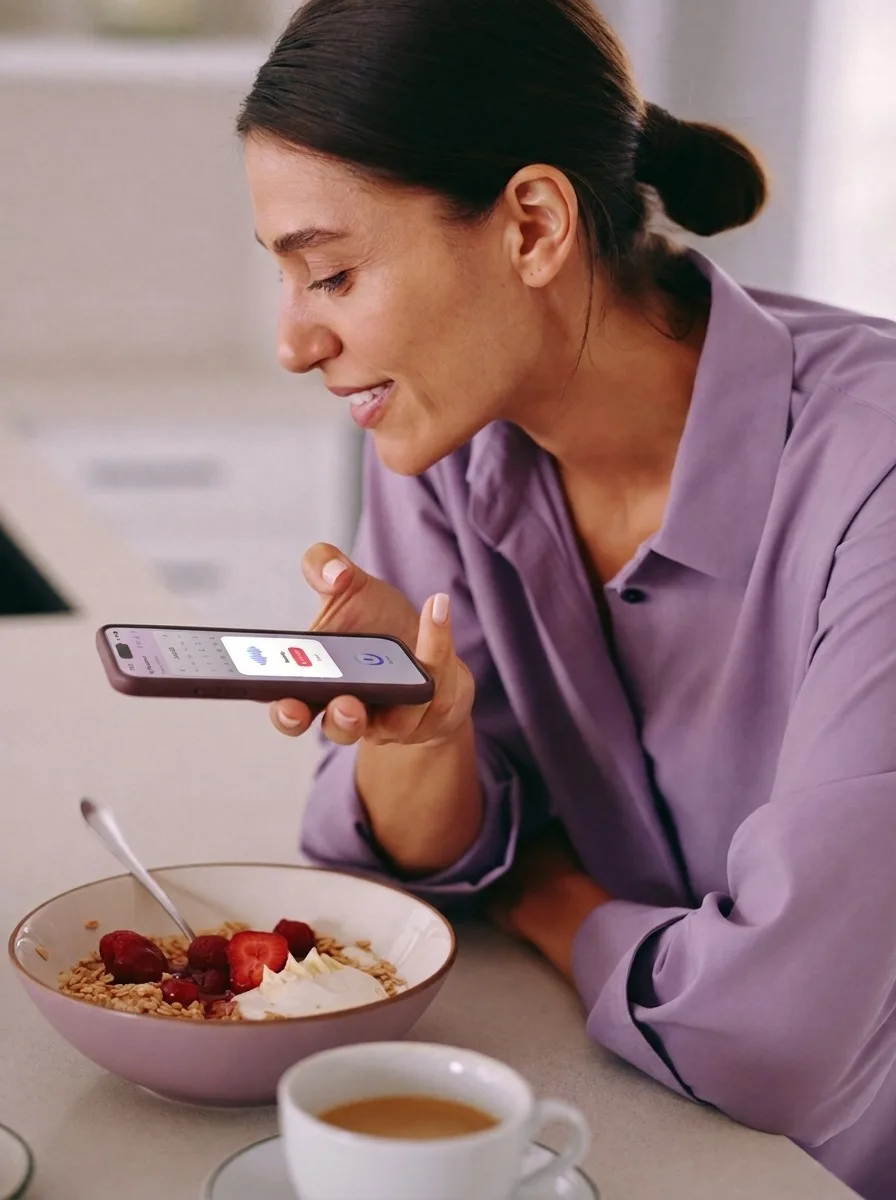
Voice logging

Two eggs on toast, a black coffee, and a 30‑minute run.

becomes

  • Eggs on toast 320 kcal
  • Black coffee ~5 kcal
  • Run, 30 min ~320 cal burned

Three entries, one sentence. Fix any with a tap. Three days of logging and we start noting what we see.

Logging is free on iPhone, no card to enter. The numbers behind it are Pro — 14‑day free trial, get started in the app.

A woman logging a meal by voice

Free

Free to log. Say it, snap it, or type it.

Food, workouts, water, weight, even a barcode scan — every way to log it is free, no card to enter. Pro provides deeper analysis and coaches you along the way.

  • Voice“Two eggs on toast and a 30‑minute run.”
  • PhotoA plate, a label, a barcode, a menu. Five scans a day.
  • TypedA line of text, or the same as yesterday.

The coach

Training with a goal in mind?

Name the goal: a race, a climb, a lift, a first pull-up, a number on the scale. We plan eating and training around your date.

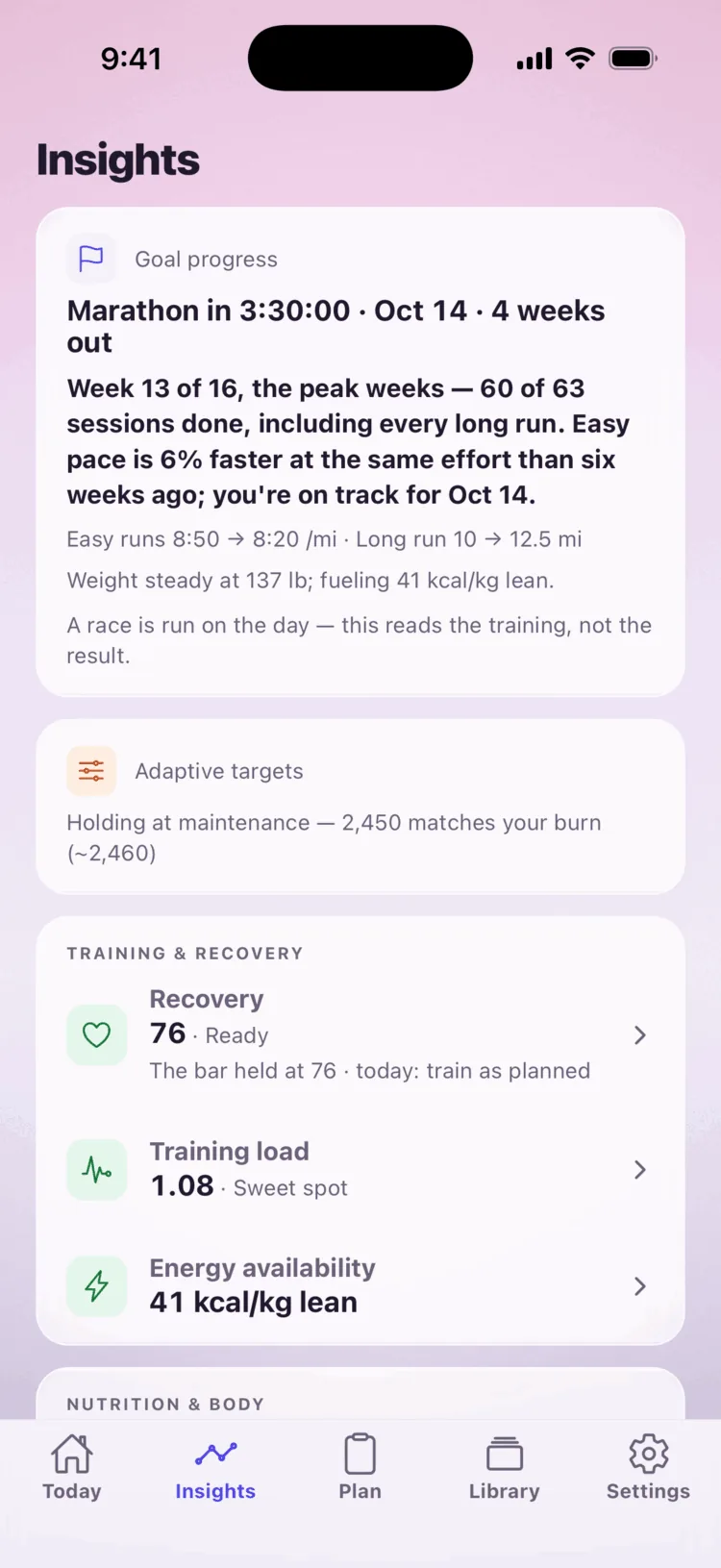
Goal progress · the race

The Insights tab on a sample account: the Goal progress card at the top reading Marathon in 3:30:00, October 14, four weeks out, with the week of the plan, the sessions done, the pace trend and the weight-and-fueling line under it.

Coach capture 7

Insights — the Goal progress card, four weeks from the marathon

Sample account (Runner fixture — Katie) · light mode

coach-07-race.png

Track your goal — four weeks to the marathon.

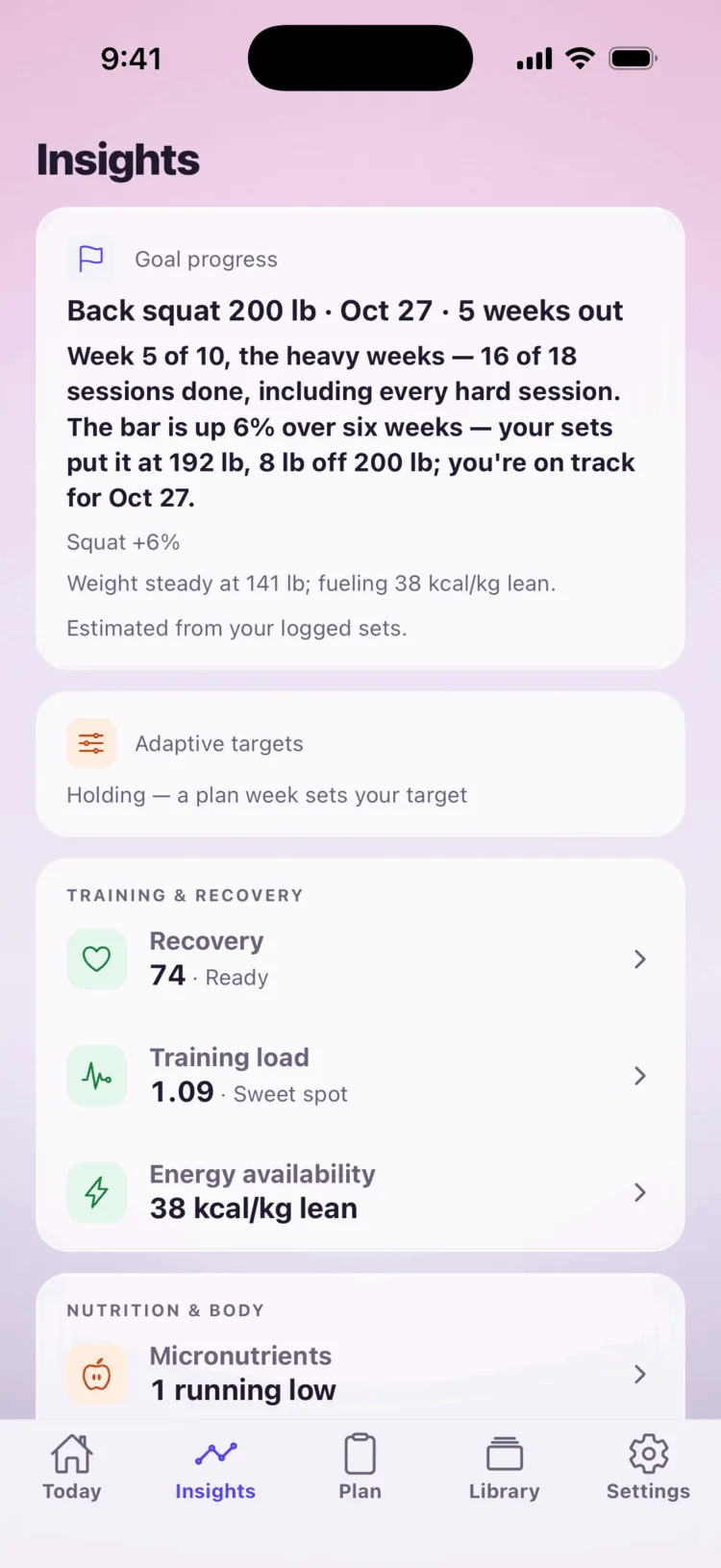
Goal progress · the gym

The Insights tab on a sample account: the Goal progress card at the top — Back squat 200 lb, October 27, five weeks out — with week 5 of 10, the sessions done, the squat receipt and the weight-and-fueling line under it.

Coach capture 9

Insights — the Goal progress card, five weeks from a 200 lb squat

Sample account (CrossFit fixture — Jordan) · light mode

coach-09-crossfit.png

Know how your training
has changed.

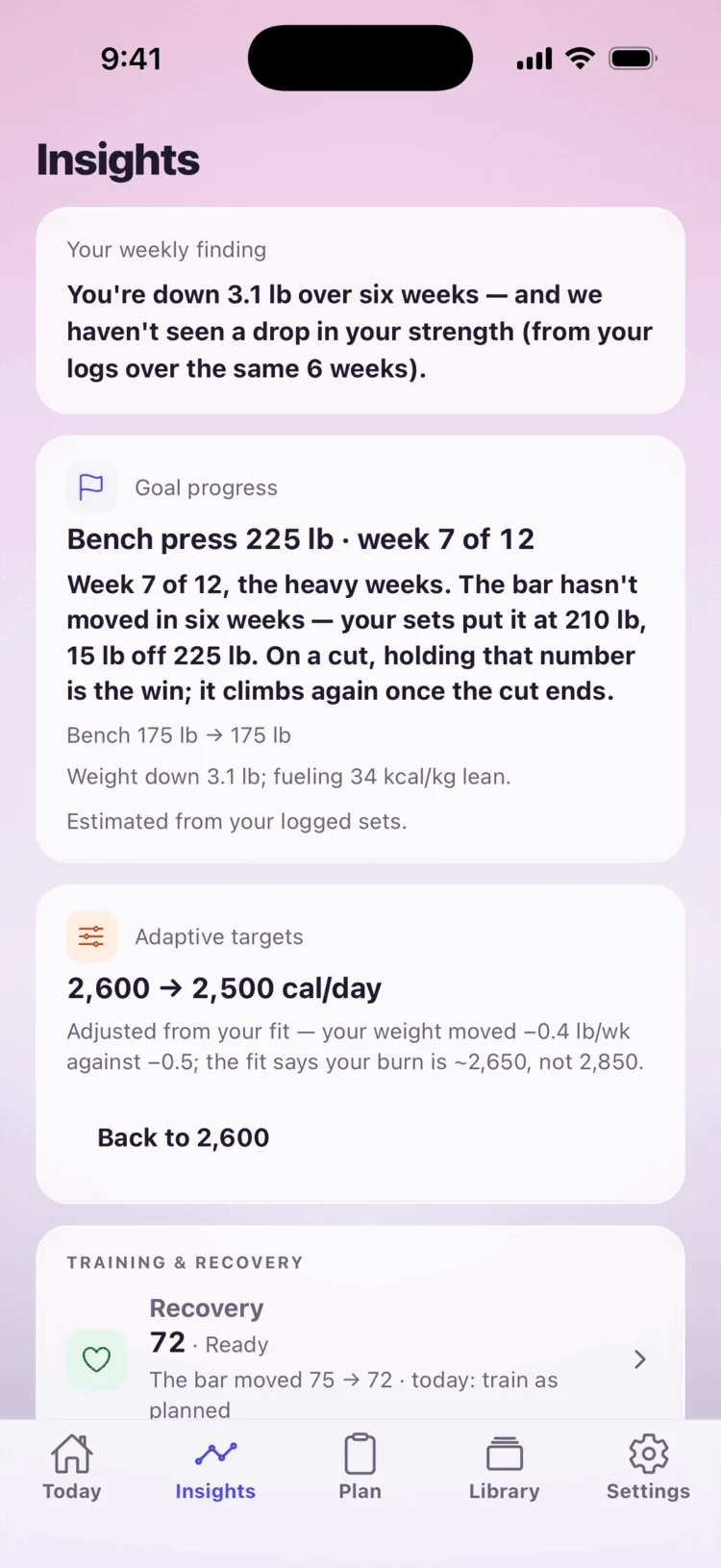
Your weekly finding

The Insights tab on a sample account as the weekly finding lands: the Your weekly finding card at the top (weight down, strength held, over the same six weeks), with the Goal progress card for a 225 lb bench press and the Adaptive targets card beneath it.

Coach capture 10

Insights — the weekly finding, just landed

Sample account (Lifter fixture — Sam) · light mode

coach-10-finding.png

Stop guessing.
Start knowing.

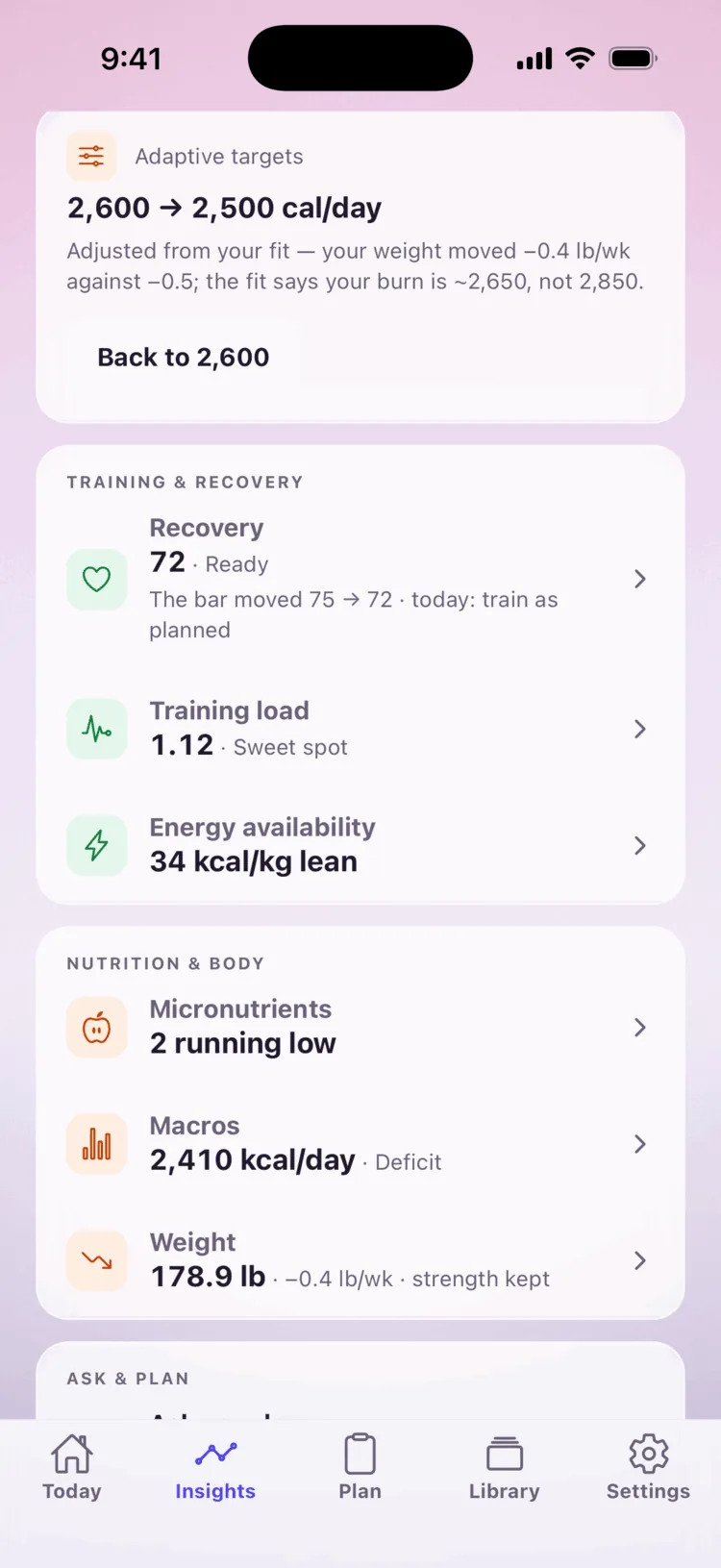
Adaptive targets

The Insights board on a sample account with the Adaptive targets card announcing 2,600 to 2,500 calories a day, the reason line under it, the Back to 2,600 button, and the board rows beneath.

Coach capture 1

Insights — the Adaptive targets card, announcing

Sample account (Lifter fixture) · light mode

coach-01-proposal.png

Targets that move when you do.

Fuel a session
before training

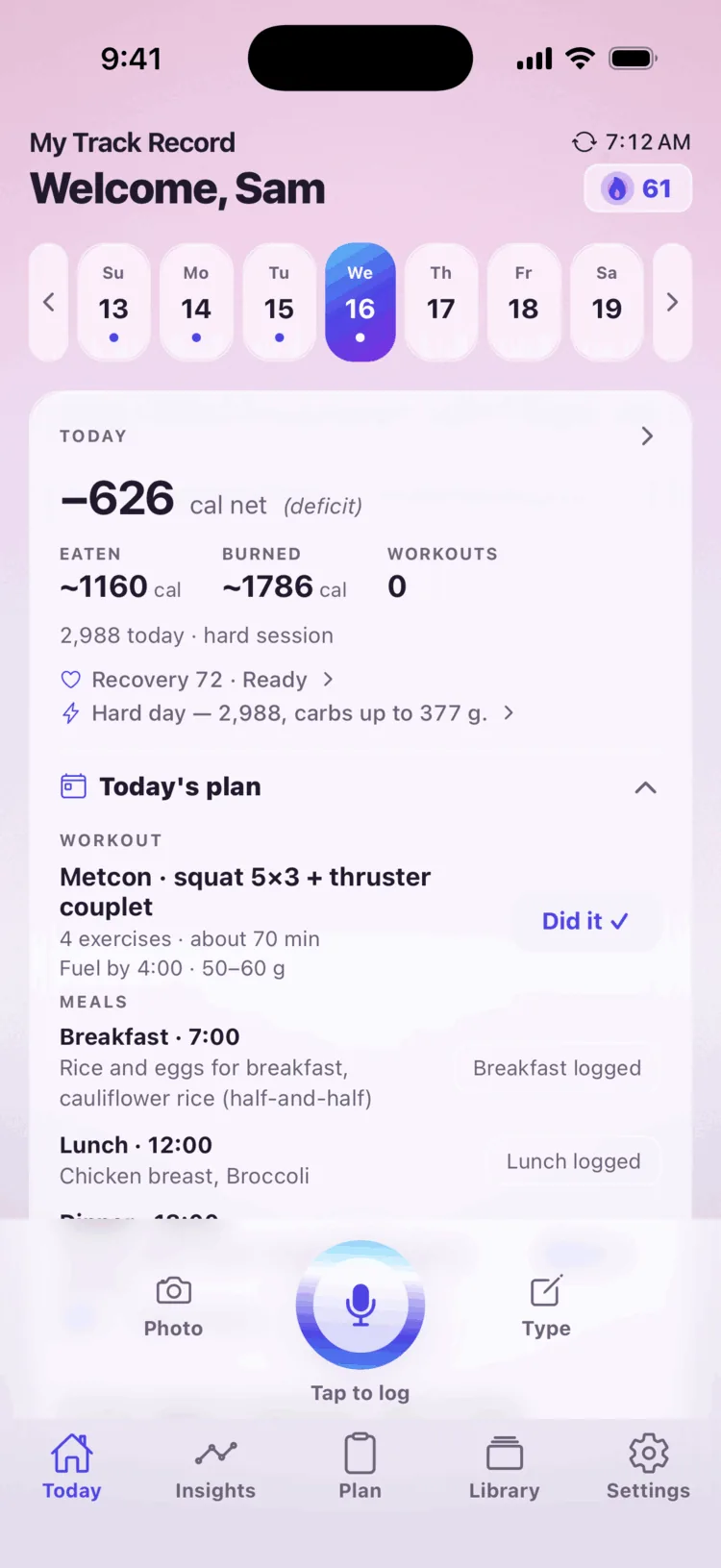
Home on a sample account with today's plan row — a CrossFit metcon: squat 5 by 3 plus a thruster couplet — and the fuel line under it: Fuel by 4:00, 50 to 60 grams.

Coach capture 4

Home — the plan row with “Fuel by 4:00 · 50–60 g”

Sample account (Lifter fixture) · light mode

coach-04-fuel.png

Know what to eat before the session, and when.

Recovery goals
after training

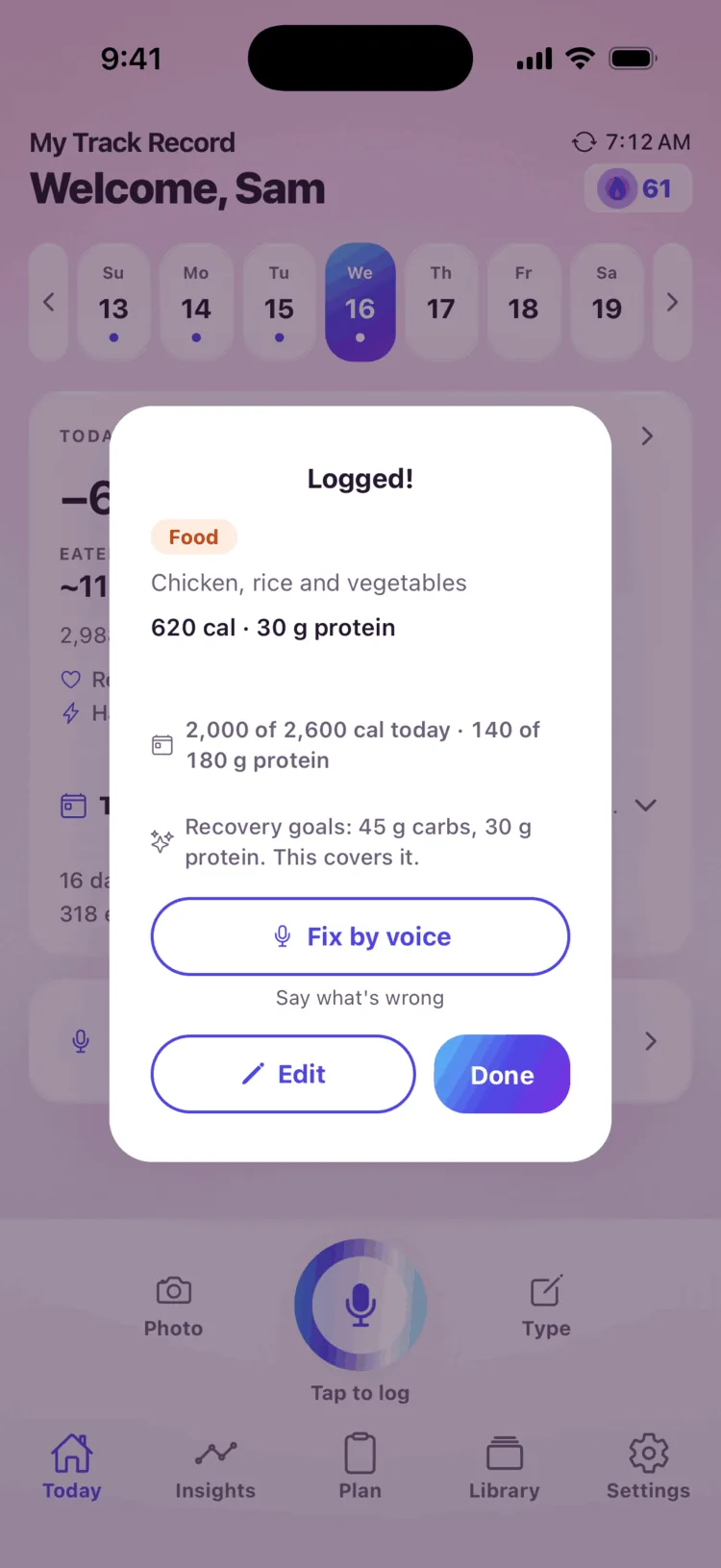
The success card after a logged lunch on a sample account: the entries with their estimates, the running total, and the coach's line under it — recovery goals, 45 grams of carbs, 30 grams of protein, this covers it.

Coach capture 3

The success card — the recovery goals, with the coach’s line

Sample account (Lifter fixture) · light mode

coach-03-entry.png

Know how to refuel and recover.

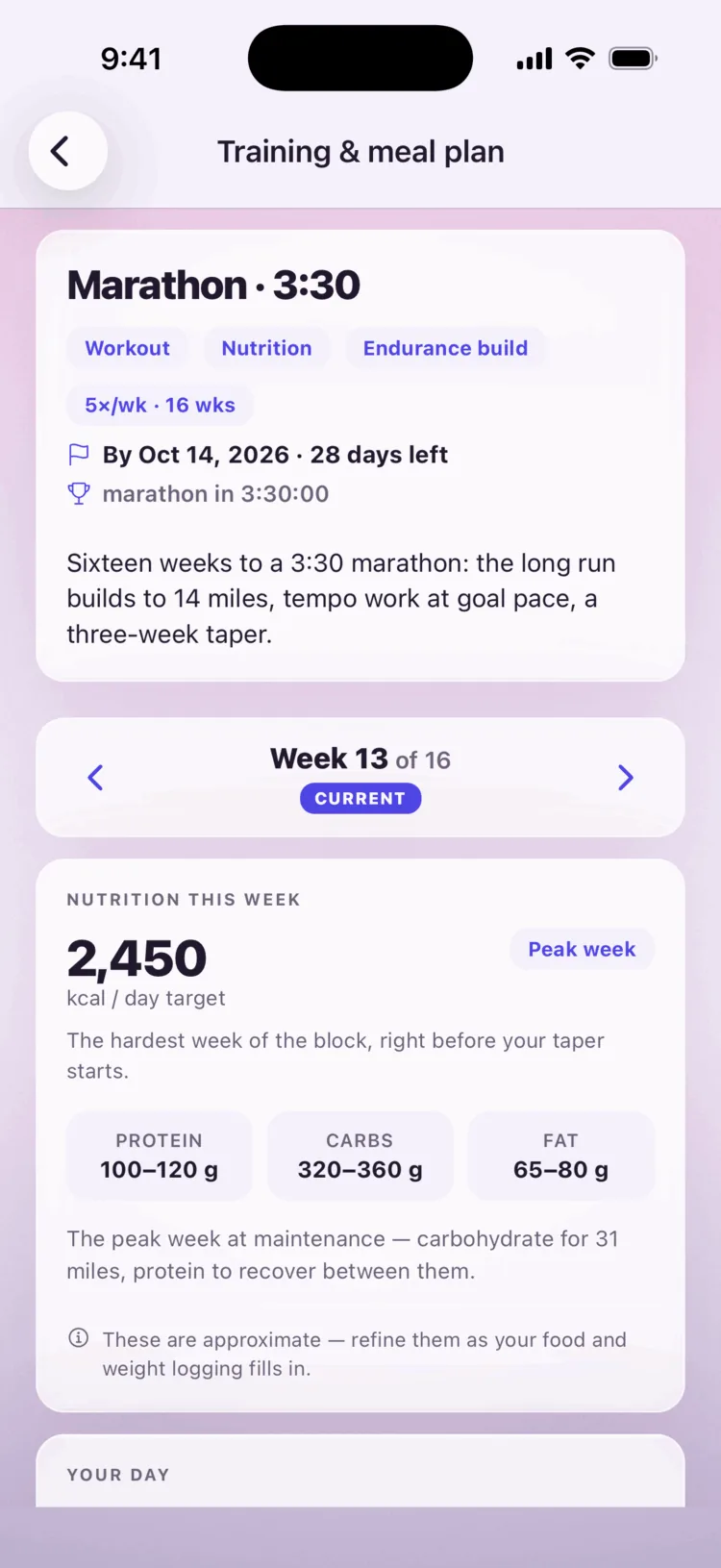
Training & meal plan

The Training and meal plan page on a sample account: Marathon 3:30, five sessions a week for sixteen weeks, by October 14, the week switcher at week 13 of 16, and Nutrition this week — 2,450 kcal a day, peak week — with protein, carbs and fat ranges under it.

Coach capture 11

Plan — the training week, with the food beside it

Sample account (Runner fixture — Katie) · light mode

coach-11-plan.png

Your week,
planned.

14‑day free trial, get started in the app.

An empty power rack in a bright gym

Built around your training and diet

Your training is in the log. Everything we tell you starts there.

Fueling check — whether what you logged covers your training.

Load — how hard the weeks have been, from your sessions.

Recovery — a score from your Apple Watch heart-rate and sleep.

What do you train for?

  • Endurance running, road cycling, swimming, rowing, triathlon
  • Strength strength training, powerlifting, Olympic lifting, muscle building
  • Skill and grade rock climbing, martial arts, racket sports
  • Mixed and team CrossFit, HYROX, team and field sports
  • Outdoors and all-round hiking and mountaineering, skiing and snowboarding, general athleticism
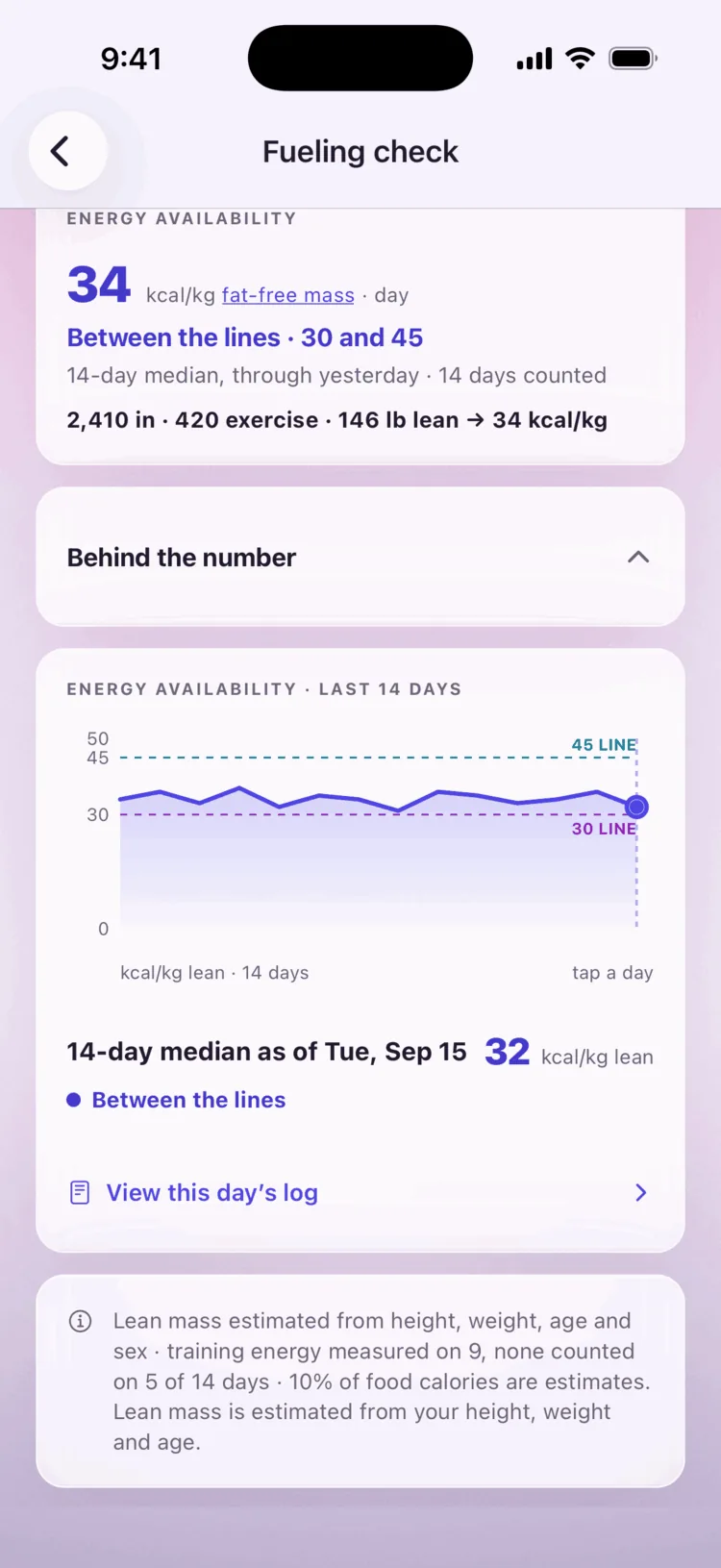
We do the math between your food and your sessions.
The Fueling check page on a sample account: 34 kcal/kg fat-free mass a day, between the lines at 30 and 45; under it the receipt — 2,410 in, 420 exercise, 146 lb lean — and the 14-day chart with both guide lines.

Capture slot 4

Fueling check — the page, with its receipt

Sample account (Lifter fixture — Sam) · light mode

04-fueling.png

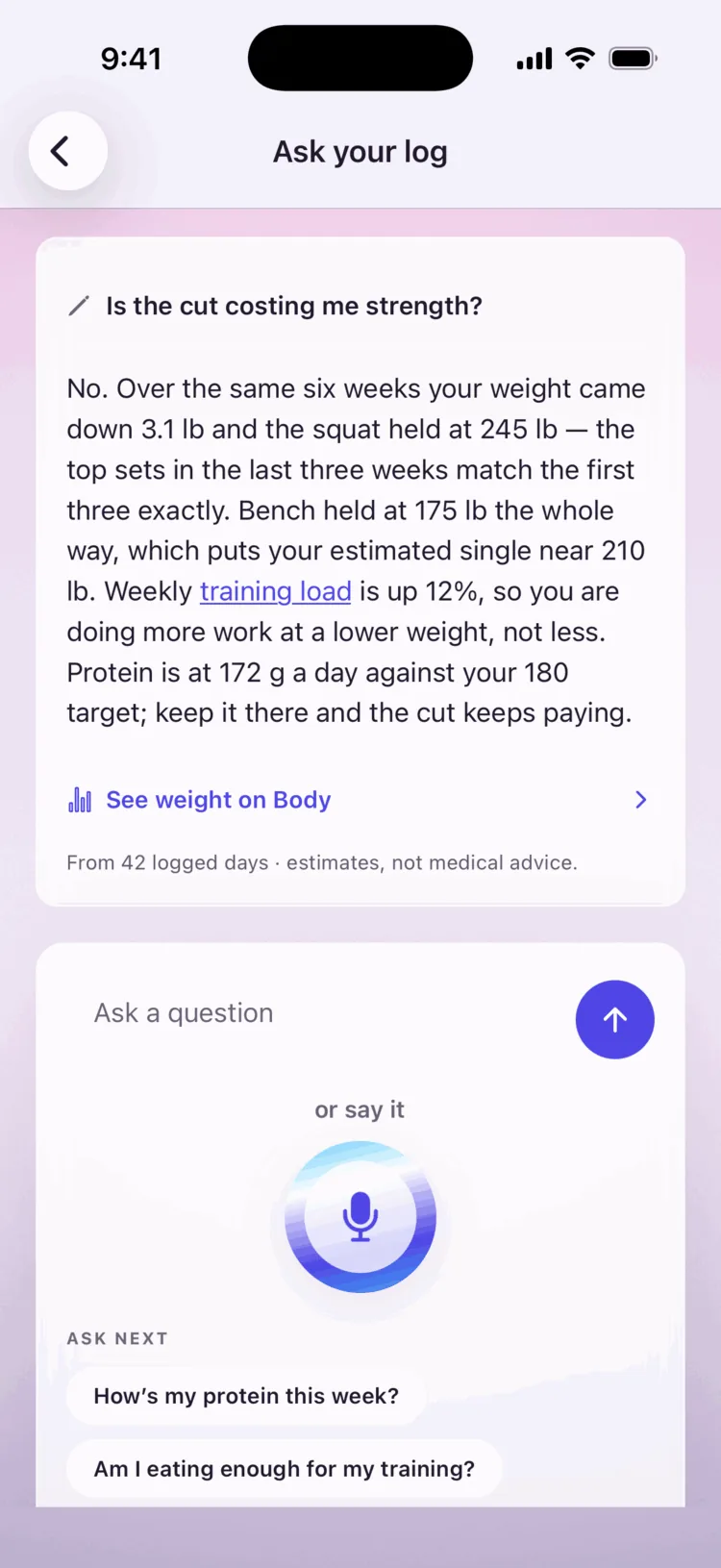
Ask your log.
We answer from what’s in it.
The Ask screen on a sample account: the typed question, is the cut costing me strength, and the answer read from the log, with its estimates note.

Capture slot 5

Ask — a question and its answer

Sample account (Lifter fixture — Sam) · light mode

05-ask.png

Pricing

Keeping the log is free. Reading it is Pro.

Free

$0 · no card to enter

  • Voice logging — food, sessions, water, weight
  • Today’s totals, with the session in them
  • Siri and lock-screen capture
  • Photo and label scans, five daily
  • Barcode, goals, routines, history, export
  • Ask your log and Fuel a session — four a month

Pro

$9.99 per month · or $99.99 a year

  • Everything in Free
  • Your weekly finding — what changed, and what to change
  • Goal progress — your training, read against your goal
  • Adaptive targets — switch off any time
  • Fueling check, recovery and training load
  • Ask your log and Fuel a session — included

14‑day free trial, get started in the app.

Two weeks of Pro: long enough for two weekly findings, from your own log.

How do you tell me it’s working?

You name the goal — a race, a climb, a lift, a number on the scale — and every week we read your training against it. On track, we say so. Off it, we tell you what to change.

Do you know I train?

Yes. Say the session with the meal, or connect Apple Health. You pick your sport at sign-up, and the training is in everything we tell you: totals, fueling, the Monday target.

Will I lose strength on a cut?

We read your weight beside your strength, pace or load over the same six weeks. Holding? We say so. Dropping? We’ll suggest a smaller deficit. Unsure? We hold, and say why.

How soon do you say anything?

Day three, from your food. Your first weekly finding, the Monday after a week of logging. Fueling after seven fully logged days; your weight trend after three weigh-ins.

Do you connect to Apple Health?

Yes. Workouts, active energy, weight and sleep flow in. Recovery is scored from your Apple Watch heart-rate and sleep data.

Can I bring my history from another app?

Yes. Most trackers export a CSV under Settings → Export. Paste it in and your history — and your insights — start on day one.

What if I don’t have an Apple Watch?

Everything but recovery. Say the session with the meal; fueling, load and the weekly finding come from your log. Recovery needs heart-rate data, so it waits for a watch.

I only train twice a week. Is there enough to read?

Yes. The weekly finding starts from your food and weigh-ins. Training load needs eight logged sessions in four weeks, so at twice a week yours lands after about a month.

What happens at day 14?

The trial ends; the log stays free and nothing you said is lost. The insights pause until you go Pro, and pick up where they left off when you do.

What happens to my data?

Voice recordings and photos are processed, then discarded; only the entry is kept. Export your log any time; delete the account and its data from Settings. Never sold, no ads.

Themes

A reason to keep going.

Every theme is earned by showing up — we unlock the first on your second logged day, the rest as the days add up.

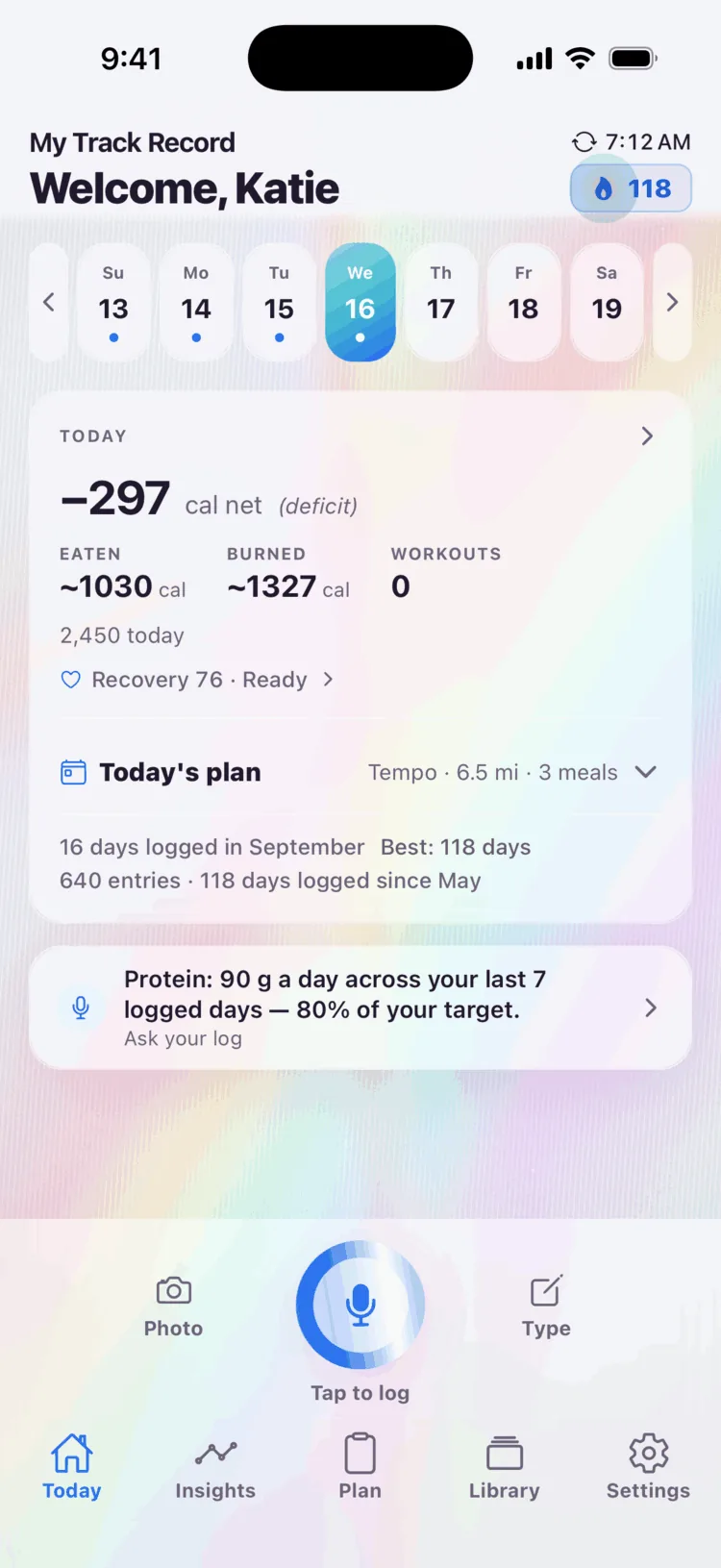
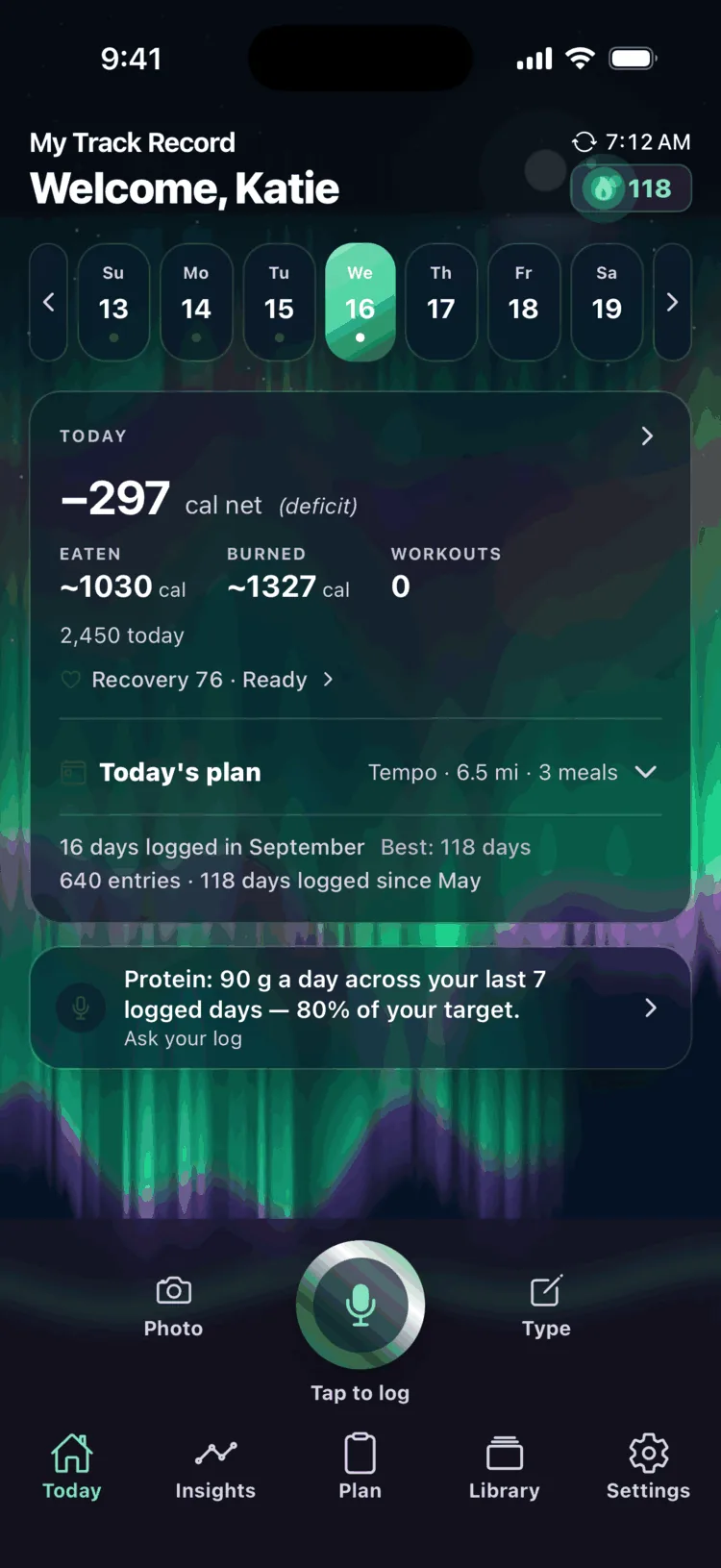
The Holographic theme — Home in pastel foil that shifts as you move.

Holographic

An earned theme

Home on the Runner fixture · re-shot S35

theme-holographic.png

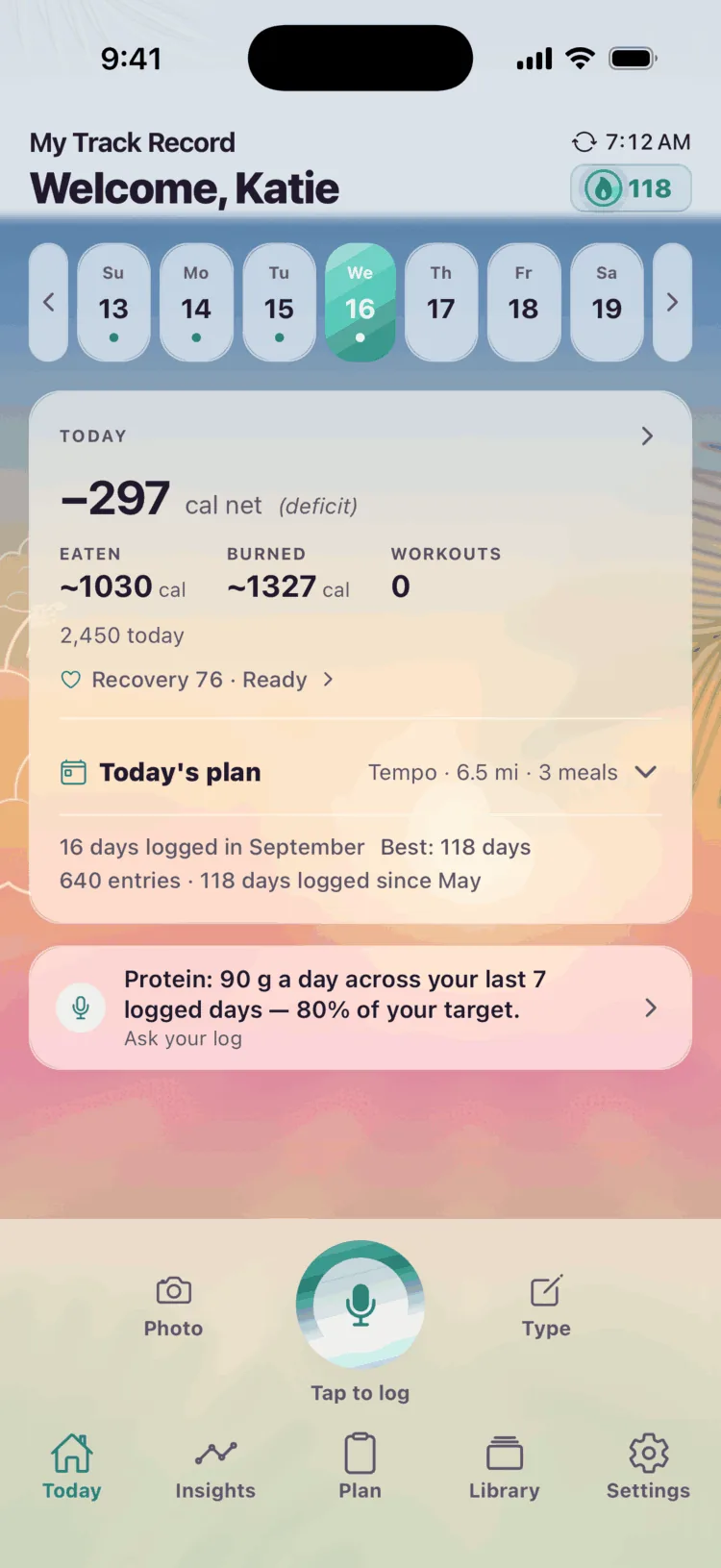
The Oasis theme — Home under a warm sky at dawn.

Oasis

An earned theme

Home on the Runner fixture · re-shot S35

theme-oasis.png

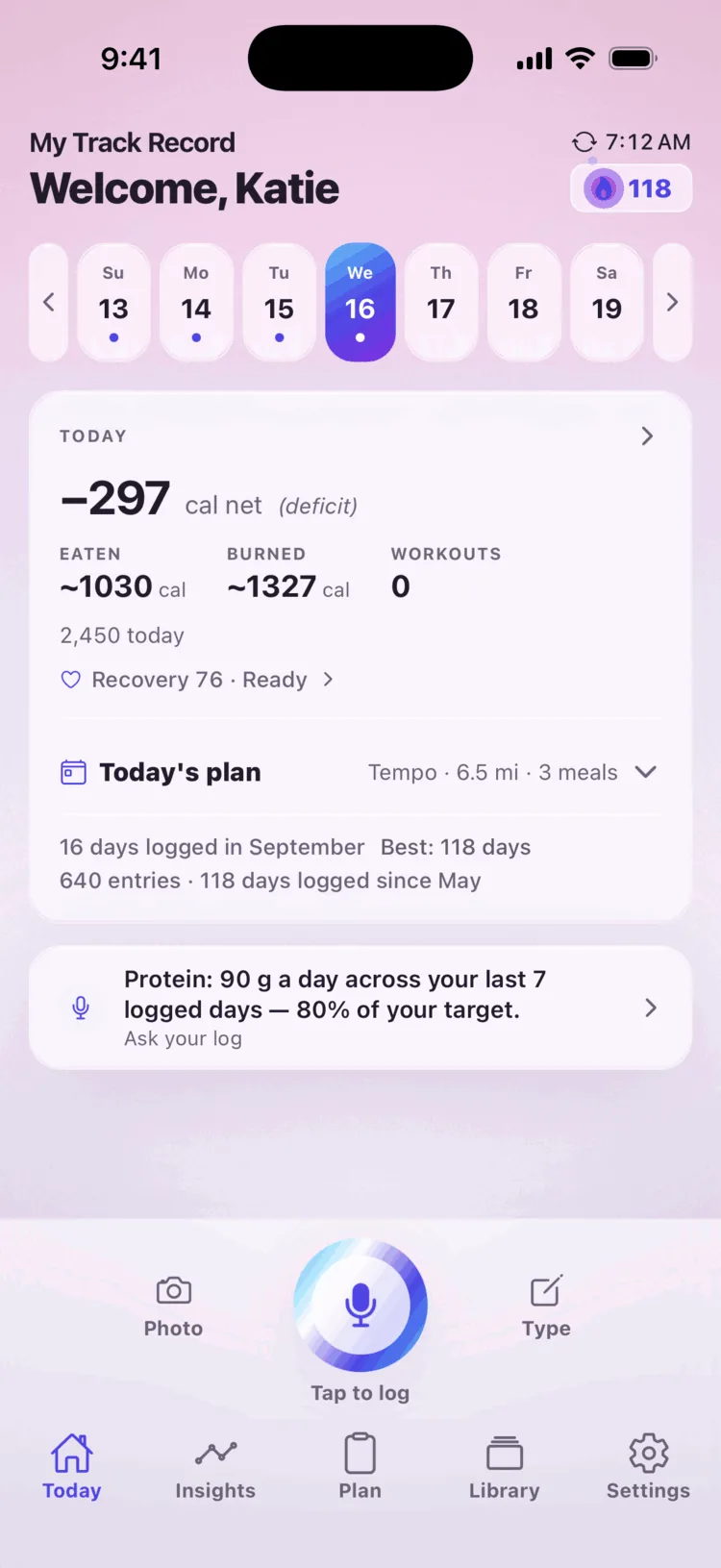
The My Track Record home screen in the starting Signature theme.

Signature

Home / Today — the starting theme

Sample account (Runner fixture — Katie) · Signature · light mode

03-home.png

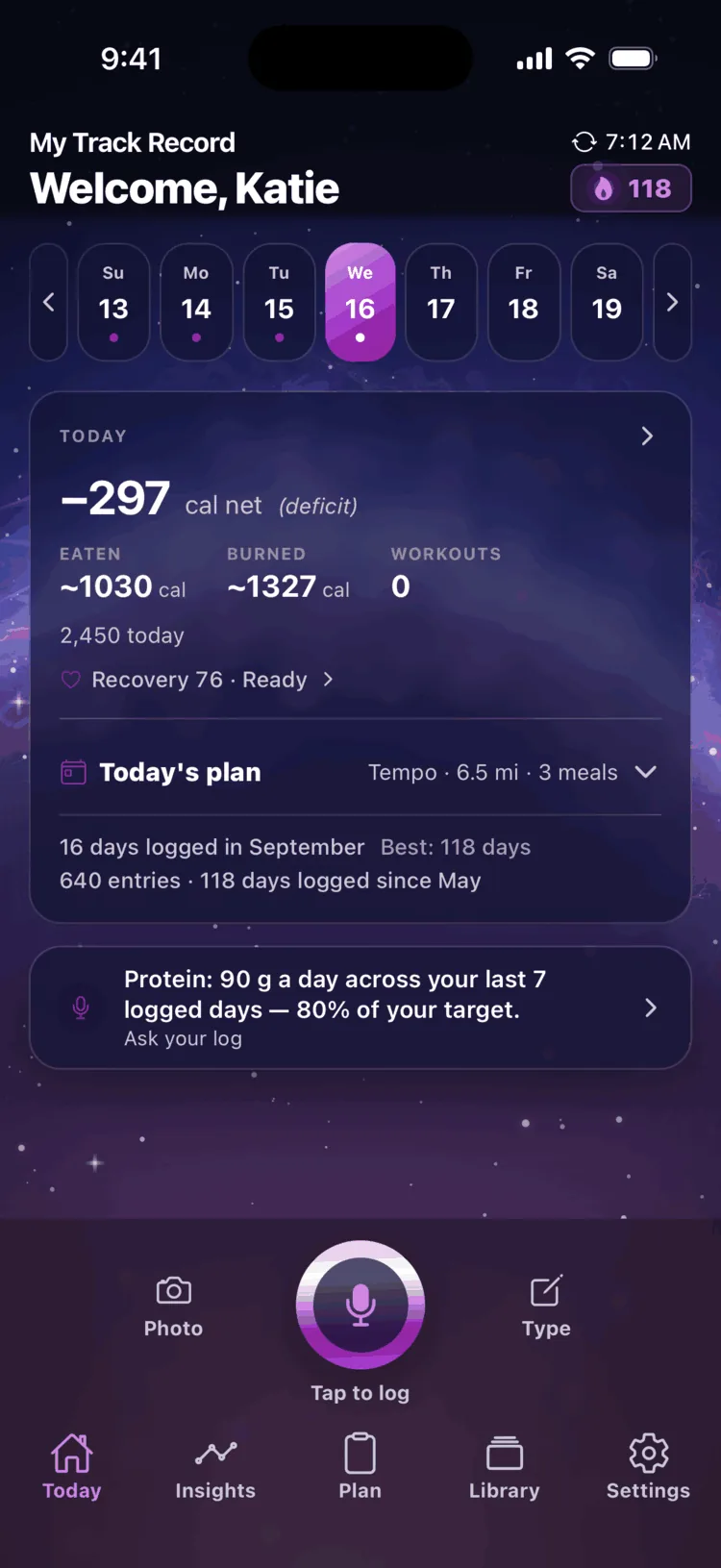
The Nebula theme — Home inside a star nursery.

Nebula

An earned theme

Home on the Runner fixture · re-shot S35

theme-nebula.png

The Aurora theme — Home under the northern lights.

Aurora

An earned theme

Home on the Runner fixture · re-shot S35

theme-aurora.png

Where everyone starts , then what showing up unlocks.
A runner on a coastal road at dawn

Your track record starts with a sentence.

Logging meals and workouts shouldn’t take a world of effort. With My Track Record we’ve removed as much friction as possible, allowing you to log any meal or workout in seconds.

Free to log. 14‑day free trial of Pro, get started in the app.